Features: White Label
Communication and Notifications

White Label Roosted: Your Brand, End to End

White Label Roosted: Your Brand, End to End

Rebrand Roosted as your own product across every surface workers and clients touch. Custom domain, sending email, logo, messaging, and template copy all match your company. Roosted runs the platform, and your brand is what people see.
Your Brand, Their Experience

Workers log in at your domain. Their shift emails arrive from your address, and the installable mobile app shows your icon on their home screen next to the other tools they use every day. Clients receive time-tracking digests, order summaries, and portal invitations that match the company they hired, not a platform they've never heard of.

Consistency isn't a option, It's a must.

For staffing agencies, multi-location operators, IATSE hiring halls, and security firms, that consistency is part of the product you sell. White Label Roosted delivers it across seven layers of the system, with setup that takes an afternoon rather than a quarter.

The Seven Layers of White Labeling

  1. Your Own Domain with HTTPS Included

    Workers log in at staff.yourcompany.com or any subdomain you choose. TLS certificates issue and renew automatically, so there's no annual cert-management chore to track. You provide two DNS records, and Roosted handles the rest of the plumbing.

    Workers log in at staff.yourcompany.com or any subdomain you choose. TLS certificates issue and renew automatically, so there's no annual cert-management chore to track. You provide two DNS records, and Roosted handles the rest of the plumbing.

  2. Brand Name Replacement Everywhere

    Your company name replaces 'Roosted' across subject lines, email bodies, SMS messages, and in-app text. Word-boundary matching keeps the replacements clean, so adjacent words never get mangled.

    Your company name replaces 'Roosted' across subject lines, email bodies, SMS messages, and in-app text. Word-boundary matching keeps the replacements clean, so adjacent words never get mangled.

  3. Logo, Favicon, and Installable App Icons

    One upload applies your logo to login pages, every transactional email workers and clients receive, browser tabs, and the installable mobile web app. Workers who add the app to their home screen see your icon next to the rest of their tools, not Roosted's.

    One upload applies your logo to login pages, every transactional email workers and clients receive, browser tabs, and the installable mobile web app. Workers who add the app to their home screen see your icon next to the rest of their tools, not Roosted's.

  4. Your Own Email Sending Domain

    Transactional emails arrive from hr@yourcompany.com instead of support@roostedhr.com. A one-time DNS verification flow connects your domain to Roosted's sending infrastructure through Resend. Every shift update, confirmation, credential alert, and weekly digest routes through your domain from that point on, and Roosted manages sending reputation so deliverability stays strong.

    Transactional emails arrive from hr@yourcompany.com instead of support@roostedhr.com. A one-time DNS verification flow connects your domain to Roosted's sending infrastructure through Resend. Every shift update, confirmation, credential alert, and weekly digest routes through your domain from that point on, and Roosted manages sending reputation so deliverability stays strong.

  5. Per-Company Email Template Overrides

    Customize subject lines, from-names, and HTML bodies for more than 10 system emails. These include shift updates, shift-available outreach, client time-tracking summaries, weekly client order digests, and credential expirations. A live preview shows exactly what workers and clients will see before you save.

    Customize subject lines, from-names, and HTML bodies for more than 10 system emails. These include shift updates, shift-available outreach, client time-tracking summaries, weekly client order digests, and credential expirations. A live preview shows exactly what workers and clients will see before you save.

  6. Invite-to-Work Message Customization

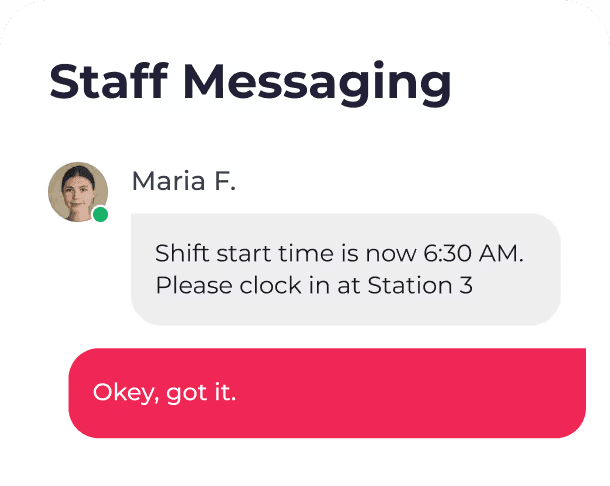
    Edit the email copy, SMS sequences (initial invite, confirm request, acceptance, decline), and push notification titles and bodies that workers receive when offered a shift. Every message that touches your workforce can sound like it came from your operations team.

    Edit the email copy, SMS sequences (initial invite, confirm request, acceptance, decline), and push notification titles and bodies that workers receive when offered a shift. Every message that touches your workforce can sound like it came from your operations team.

  7. Placeholder-Aware Editor

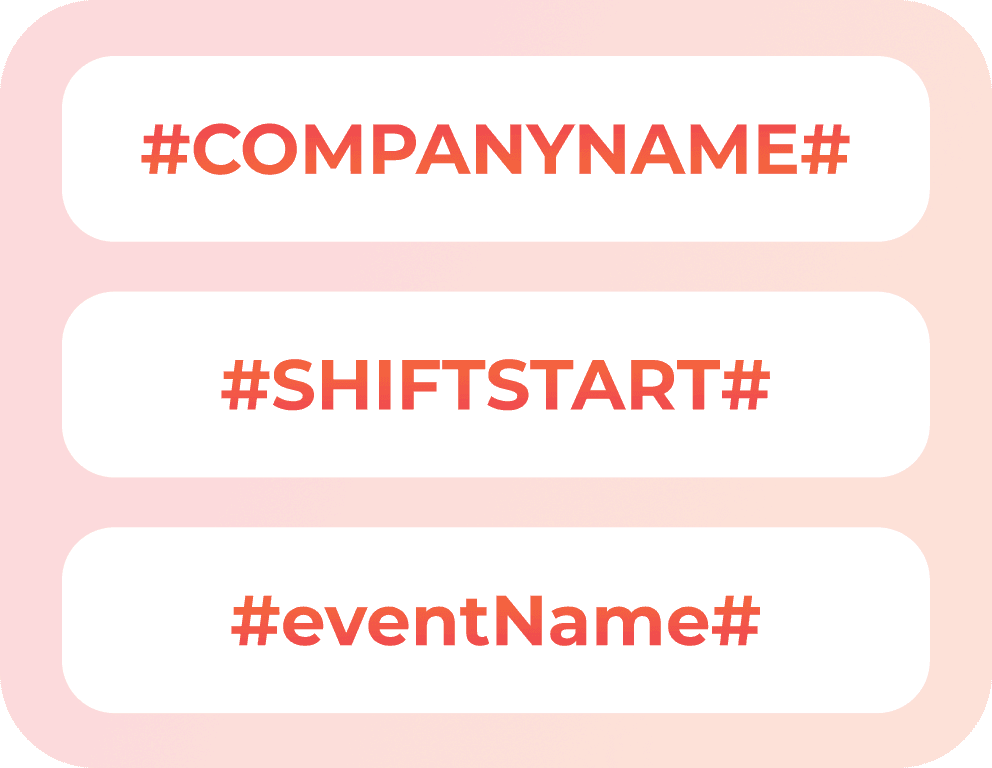
    Templates show the tokens available for each message, including #COMPANYNAME#, #SHIFTSTART#, and $eventName. You can write copy that dynamically fills with real shift details at send time without having to guess what's supported.

    Templates show the tokens available for each message, including #COMPANYNAME#, #SHIFTSTART#, and $eventName. You can write copy that dynamically fills with real shift details at send time without having to guess what's supported.

Setup Takes About an Hour

Setup Takes About an Hour

Three steps cover most of it.

Three steps cover most of it.

  1. Add two DNS records

    TLS issuance and renewal happen automatically for your custom domain no configuration, no expiry surprises.

  2. Verify your sending domain

    A one-time DNS check verifies ownership. After that, all transactional email routes through your domain automatically.

  3. Upload your brand assets

    Upload your logo, favicon, and PWA icons, enter your company name, and override whichever templates you need. Save. You're live.

Most customers complete setup in a single sitting. Roosted handles TLS automation and sending reputation in the background, so there's no ongoing infrastructure work to manage.

Most customers complete setup in a single sitting. Roosted handles TLS automation and sending reputation in the background, so there's no ongoing infrastructure work to manage.

Built for Multi-Client Operators and Staffing Agencies

White labeling pays off when brand consistency is part of what you sell. A few of the operators it's designed for:

  1. Event and catering staffing agencies

    Those who resell labor to venues, corporate clients, and planners. Works for event staffing teams and catering operations that need to maintain brand presence with their end-clients.

  2. Multi-location enterprise operators

    Who runs regional brands that need a unified workforce tool without unified branding in what workers and clients see.

  3. IATSE hiring halls

    IATSE hiring halls with a local presence, where members and calls expect messaging from the hall, not a national vendor.

  4. Security firms

    Security firms where brand uniformity is a credibility signal and a deployment standard across guard posts, uniforms, and digital communications.

White labeling sits on top of Roosted's core workforce scheduling platform, which handles AI shift matching, time tracking, and payroll in the background. Roosted continues to run the platform behind the scenes. Everything your workers and clients see is yours.

White labeling sits on top of Roosted's core workforce scheduling platform, which handles AI shift matching, time tracking, and payroll in the background. Roosted continues to run the platform behind the scenes. Everything your workers and clients see is yours.

What Stays Invisible

White Label Roosted is built so your customers and workers never see:

A 'Powered by Roosted' footer on emails or pages

Roosted branding in email sender names or reply-to addresses

Roosted-branded URLs in links workers click from invites or shift reminders

Roosted references inside template copy after brand replacement runs

Roosted logos or icons anywhere in the app surface, login flow, or installable PWA

That depth is what distinguishes true white labeling from surface-level branding toggles most scheduling tools offer.
FAQ

Got Questions? We've Got Answers.

How long does setup actually take?

Most customers are live in about an hour. The longest step is usually waiting for DNS records to propagate, which is out of Roosted's hands.

Do I need a developer to set this up?

No. An operations manager comfortable with DNS records can handle it. If your registrar is Cloudflare, Route 53, GoDaddy, or Namecheap, the process is a guided copy-paste.

What happens if I change my mind about branding later?

You can edit brand assets, template copy, and invite messaging at any time. Changes apply to future messages; emails already sent stay as they were.

Is white labeling included in every plan?

White labeling is included with supported plans. See the plans page for current availability and pricing.

How does this affect email deliverability?

Roosted manages sending reputation through Resend's infrastructure. Your verified sending domain inherits that reputation while keeping your brand on the envelope.

Can I white-label the client portal too?

Yes. Clients log in at your domain, receive emails from your sending address, and see your logo throughout the portal experience.

Does Roosted still appear anywhere?

Workers and clients never see Roosted branding in day-to-day use. Roosted remains the platform of record for audit logs, support escalation, and compliance documentation, which is standard for enterprise software.

Every signature your staffing company needs, collected and stored in the same platform where you schedule shifts and track hours. No extra tools, no extra cost.

FAQ

Got Questions? We've Got Answers.

How long does setup actually take?

Most customers are live in about an hour. The longest step is usually waiting for DNS records to propagate, which is out of Roosted's hands.

Do I need a developer to set this up?

No. An operations manager comfortable with DNS records can handle it. If your registrar is Cloudflare, Route 53, GoDaddy, or Namecheap, the process is a guided copy-paste.

What happens if I change my mind about branding later?

You can edit brand assets, template copy, and invite messaging at any time. Changes apply to future messages; emails already sent stay as they were.

Is white labeling included in every plan?

White labeling is included with supported plans. See the plans page for current availability and pricing.

How does this affect email deliverability?

Roosted manages sending reputation through Resend's infrastructure. Your verified sending domain inherits that reputation while keeping your brand on the envelope.

Can I white-label the client portal too?

Yes. Clients log in at your domain, receive emails from your sending address, and see your logo throughout the portal experience.

Does Roosted still appear anywhere?

Workers and clients never see Roosted branding in day-to-day use. Roosted remains the platform of record for audit logs, support escalation, and compliance documentation, which is standard for enterprise software.

Every signature your staffing company needs, collected and stored in the same platform where you schedule shifts and track hours. No extra tools, no extra cost.

FAQ

Got Questions? We've Got Answers.

How long does setup actually take?

Most customers are live in about an hour. The longest step is usually waiting for DNS records to propagate, which is out of Roosted's hands.

Do I need a developer to set this up?

No. An operations manager comfortable with DNS records can handle it. If your registrar is Cloudflare, Route 53, GoDaddy, or Namecheap, the process is a guided copy-paste.

What happens if I change my mind about branding later?

You can edit brand assets, template copy, and invite messaging at any time. Changes apply to future messages; emails already sent stay as they were.

Is white labeling included in every plan?

White labeling is included with supported plans. See the plans page for current availability and pricing.

How does this affect email deliverability?

Roosted manages sending reputation through Resend's infrastructure. Your verified sending domain inherits that reputation while keeping your brand on the envelope.

Can I white-label the client portal too?

Yes. Clients log in at your domain, receive emails from your sending address, and see your logo throughout the portal experience.

Does Roosted still appear anywhere?

Workers and clients never see Roosted branding in day-to-day use. Roosted remains the platform of record for audit logs, support escalation, and compliance documentation, which is standard for enterprise software.

Every signature your staffing company needs, collected and stored in the same platform where you schedule shifts and track hours. No extra tools, no extra cost.

Make It Yours

Make It Yours

Make Roosted look, sound, and feel like your product. Your workers and clients see your brand everywhere they interact with it, while you get an AI-driven platform running it all behind the scenes.

Make Roosted look, sound, and feel like your product. Your workers and clients see your brand everywhere they interact with it, while you get an AI-driven platform running it all behind the scenes.

Smart scheduling
for teams.

Fast, seamless, and built for on-demand healthcare & clinical staffing.

Smart scheduling
for teams.

Fast, seamless, and built for on-demand healthcare & clinical staffing.

Smart scheduling
for teams.

Fast, seamless, and built for on-demand healthcare & clinical staffing.