How to Automate Event Staffing with the Roosted API
Use the Roosted API to automate event creation, shift assignments, and worker management for events, catering, security, and stage labor.
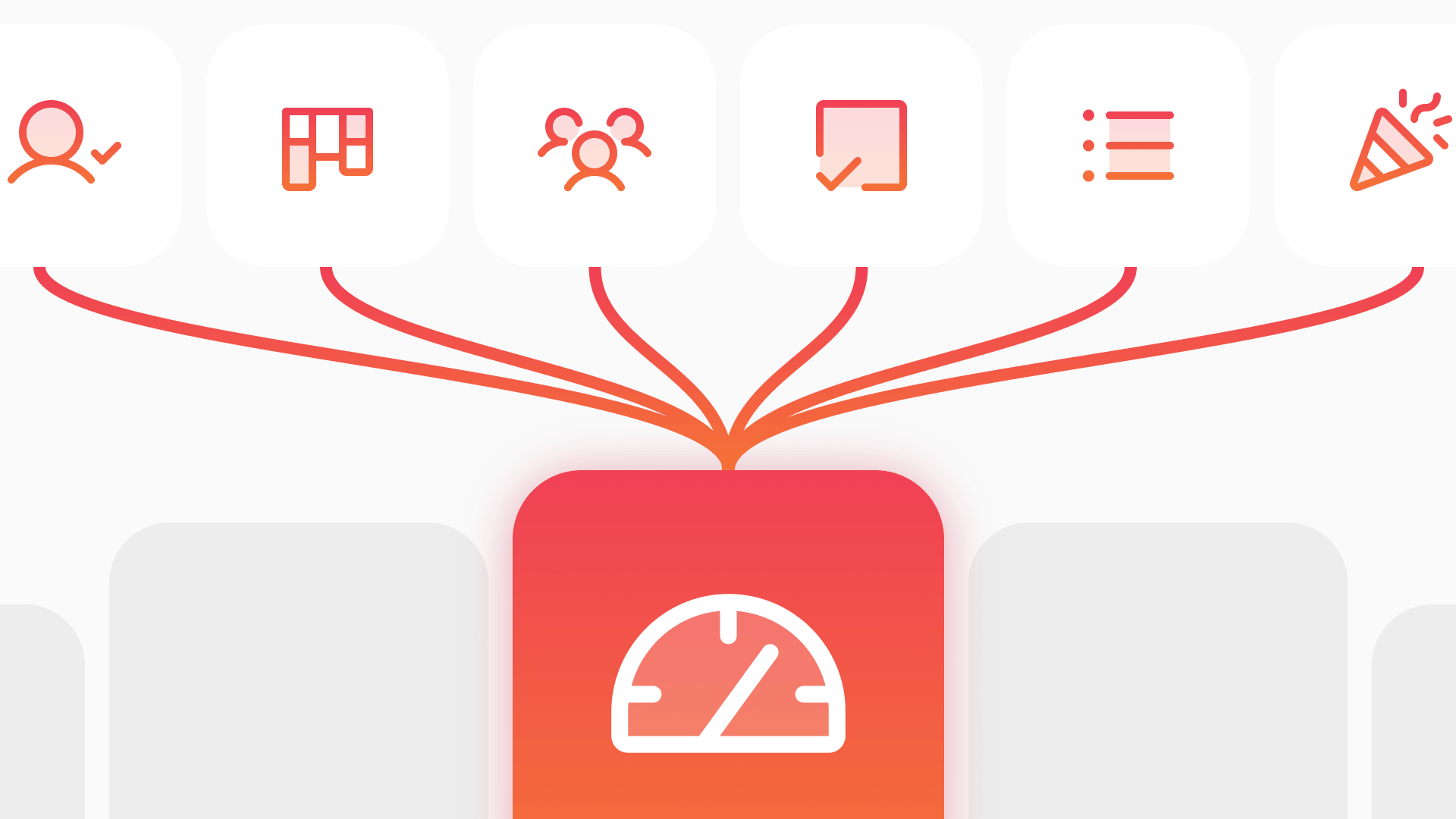
Event staffing companies deal with a repeating cycle: a client books an event, someone creates it in the scheduling platform, shifts get defined with headcount and skillset requirements, workers are matched and assigned, confirmations go out, hours get tracked, and approved time flows to payroll. Most companies handle at least a few of those steps manually, even when they have scheduling software.
The Roosted API lets you automate that entire chain. By connecting your existing systems (CRM, client portal, invoicing tools, internal apps) directly to Roosted's Events, Workers, Clients, and Time Tracking endpoints, you can eliminate the manual handoffs that slow your operation down and introduce errors.
This post walks through the core API resources involved in the event staffing lifecycle and shows how they work together.
The Event Staffing Workflow, Automated
Think about what happens when a new client order comes in. In a manual workflow, an ops manager receives the order (via email, phone, or CRM), then opens Roosted to create the event, defines the shifts with the right skillsets and headcounts, finds available workers, assigns them, sends confirmations, tracks time on the day of the event, and reconciles hours for payroll afterward.
That workflow has at least six touch points where a human is copying information from one system to another. The API collapses those touch points. Your CRM can create the event. Your client portal can define the shifts. Worker matching can run programmatically. Time data can flow straight to payroll.
The result: fewer errors, faster turnaround from client request to fully staffed event, and less time spent on admin work that does not require human judgment.
Creating Events and Shifts via API
The Events resource is the starting point. Use POST /events to create an event, passing the event name, date range, location, and any client association.
Once the event exists, add shifts as sub-resources. Each shift defines the role, required skillsets, headcount, and time window.
In a real integration, this is where your CRM or client portal does the work. A catering company receives a client order for a 200-person dinner, and their order management system programmatically creates the event in Roosted with the correct shifts, skillsets, and headcounts. No one opens the Roosted UI to type it in.
Matching and Assigning Workers
With events and shifts created, the next step is finding the right workers. The Workers resource supports filtering by skillsets, availability, location, and other attributes.
This returns a list of workers who have the required skillsets and are available on the event date. From there, your integration can apply its own assignment logic (prioritize by proximity, seniority, past performance, client preference) or simply pass the filtered list to a human for final approval.
For companies that want to keep the matching logic in Roosted, the platform's built-in smart shift matching handles this in the UI. It evaluates skillsets, seniority, location, and job requirements to recommend the best-fit workers. The API and the UI complement each other: use the API to set up the event and shifts programmatically, then let Roosted's matching engine handle assignments through the platform if that fits your workflow better.
Once you have decided on assignments, you can assign workers to shifts via the API as well, completing the staffing loop without switching between systems.
Managing Clients and Orders
The Clients resource ties everything together on the business side. Use it to create and manage client records, contacts, documents, and orders.
Client Orders let you link specific orders to events, so you have a clean audit trail from the client request through to the staffed event and eventual invoice. For companies that manage client relationships in a separate CRM, the Clients endpoints keep Roosted in sync. Create the client record once via API, then reference that client_id every time you create an event for them.
The Clients resource also supports sub-resources for documents, custom fields, rules (like minimum headcount requirements or preferred workers), and worker assignments at the client level. This means you can codify client-specific staffing preferences once and have them applied consistently across every event.
Tracking Time and Closing the Loop
After the event, the Time Tracking endpoints close the operational loop. Pull approved hours for any worker or time period using the time tracking summary endpoint.
The response includes hours worked, broken down by worker, shift, and event. From there, your integration can map hours to your payroll provider's import format and push them through, whether that is QuickBooks, ADP, Gusto, or an in-house system.
For a deeper look at time tracking data, the Worker Time Punches sub-resource gives you granular clock-in and clock-out records with GPS verification data, so you can reconcile exactly when and where each worker was on site.
This is where the full automation payoff lands. A workflow that used to require an ops manager to export a spreadsheet from one system, massage the data, and import it into another now happens programmatically. Hours flow from the event through Roosted's time tracking system and into payroll with no manual data entry.
Real-World Use Cases
Here are three scenarios that show how different types of staffing companies use these endpoints together:
Security company auto-creates events from CRM contracts. A security staffing firm uses Salesforce to manage client contracts. When a new contract is signed, a Zapier trigger or custom integration hits the Roosted API to create the event, define guard shifts with the required security skillsets, and associate the client record. The ops team opens Roosted to a fully built event ready for worker assignment.
Catering firm syncs Roosted shifts with kitchen scheduling. A mid-size catering company runs kitchen prep in a separate scheduling tool. Their integration pulls shift data from Roosted events via GET /events/{id}/shifts and maps front-of-house shift times to back-of-house kitchen prep schedules, keeping both systems aligned without anyone updating two calendars.
Stage labor company pulls time punch data nightly for payroll. An IATSE-affiliated production company runs a nightly cron job that calls the Time Tracking endpoints, pulls all approved hours from the previous day, formats them for their payroll system, and pushes the data through. Payroll processing that used to take hours each pay period now runs unattended.
Getting Started
If you are already a Roosted customer, email support@roostedhr.com to get your sandbox and production API credentials. The sandbox environment at sandbox.roostedhr.com/api/1_12 lets you test your integration against sample data before going live.
For the full endpoint reference, including request and response schemas for every resource mentioned in this post, visit docs.roostedhr.com. The Getting Started guide walks through authentication, base URLs, and making your first call.
If you are evaluating Roosted for your event staffing operation, explore our plans or watch a demo to see the platform in action.