Security Guard Scheduling Software: How Growing Guard Companies Fill Every Post
How security companies schedule guards, fill open posts fast, verify clock-ins with GPS, and send approved hours to payroll without spreadsheets.

In 2020, Blue Star Security had a staffing problem no calendar could fix. More than 70% of the Chicago firm’s officers were active Chicago Police Department officers, and during that summer’s civil unrest nearly all of them were pulled onto extended duty. Client requests kept coming in anyway, so the operations team did the only thing their setup allowed and started texting people one at a time.
“I basically sat on my phone, at home, with our Excel spreadsheet roster and I went through and by memory I text people that I knew weren’t active CPD, seeing if they were available.”
The underlying problem shows up at almost every security company once a roster grows past a few dozen guards. Posts need coverage around the clock, officers call off an hour before shift, a client adds a detail for Saturday’s game on Thursday afternoon, and the schedule lives in three or four places that never quite agree. This guide walks through the shift patterns security companies actually run, what to look for in security guard scheduling software, and how one firm went from six calendars to a single system for more than 850 officers.
Why security scheduling breaks as the roster grows
Security scheduling leaves very little room for failure. An uncovered post can breach a client contract, and in some cases it leaves a site or a crowd without the protection someone is paying for. That pressure lands on supervisors who are usually juggling far more variables than a restaurant or retail manager.
Every assignment has to account for who holds a current guard card, who is armed and who isn’t, which officers a client has approved, and who can physically reach the site in time. Layer on overnight posts, events that run past midnight and officers who also work other jobs, and the schedule becomes a puzzle that has to be solved again every week… sometimes every day.
Most teams start with a shared spreadsheet and a group text, and things get messy once each supervisor keeps their own version. Blue Star ran scheduling across six separate Google calendars, each maintained by a different supervisor, and the adminsitrative work behind that setup kept growing with every new officer. Their payroll specialist pulled every shift by hand each day, logged it in an Excel spreadsheet and passed it to the owner before the hours ever reached ADP. Cross-checking calendars, spreadsheets and billing records took hours every month, and the team still caught discrepancies that sent them back to verify individual shifts.
Common security guard shift schedules
Most guard companies run some mix of the patterns below. The right one depends on the post, the client and how much overtime you can absorb.
Schedule | How it works | Where it fits | Watch for |
8-hour, three-shift rotation | Day, swing and overnight shifts cover each 24-hour post | Static posts with steady coverage needs | Overnight turnover and more handoffs between officers |
12-hour, two-shift | Two officers cover each 24-hour period | Sites where fewer handoffs matter | Fatigue, plus daily overtime in states like California |
2-2-3 (Pitman) | 12-hour shifts on a 14-day cycle, four teams for 24/7 coverage | Long-term contracts that want every other weekend off for officers | Averages 42 hours a week, so some weeks can trigger overtime depending on how your workweek is defined |
4-on, 4-off | 12-hour shifts, four days on and four off, four teams | Posts where officers prefer long breaks | Some weeks land at 48 hours |
Event call-in shifts | Variable length, booked per event | Concerts, venues, sports and private events | Last-minute fills and confirming officers will actually show |
Contract security compaines tend to lean on the rotating patterns for static posts. Event security companies live mostly in that last row, where every weekend brings a new set of venues, headcounts and start times. Plenty of firms run both, which is exactly when a calendar or spreadsheet starts to strain.
What to look for in security guard scheduling software
Security operations need software that understands credentials, fills gaps quickly, proves an officer was on post and gets hours to payroll without anyone re-typing them. These are the capabilities worth checking during any demo.
Matching officers to posts by credential, location and availability
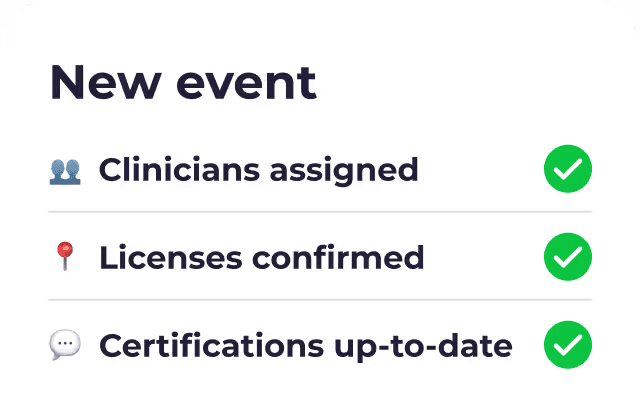
Picking the right officer for a post usually starts with credentials. A retail site might need an unarmed officer with a state guard license, a hospital client might require a completed background check, and a VIP detail might call for retired law enforcement only.
Roosted’s patented AI handles this through Smart Shift Matching, which assigns the best-qualified worker to each shift based on skillsets, availability and location. Tags make the credential side manageable. Blue Star tags its officers by location, employment status (active or retired), credentials and more, so supervisors can pull the right group for any assignment in a few clicks. Officers can use tags too, flagging the kinds of assignments they want, which makes matching easier from both directions.
Filling open shifts fast
Call-offs are a fact of life in security, so the number to watch is how long a post sits open before someone fills it.
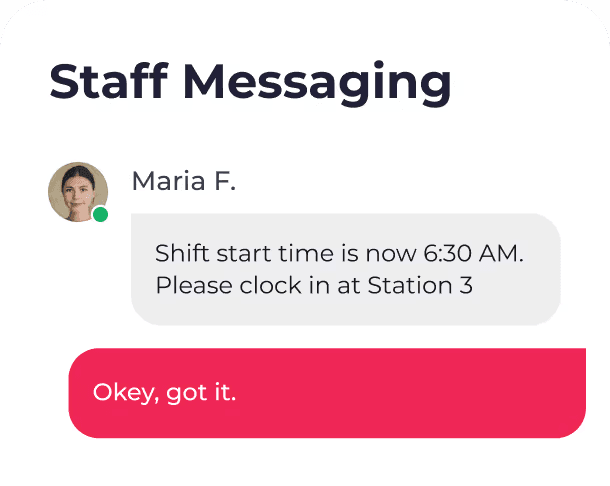
Roosted sends shift offers, updates and confirmations to workers automatically, which cuts back-and-forth by more than 80%. Supervisors can send targeted announcements to a filtered group, such as every unarmed officer tagged for a particular part of town, and fill the post from whoever accepts first. Check-ins ask workers to confirm upcoming shifts ahead of time, so most problems surface the day before a shift, while there’s still time to fix them. A California catering company using Roosted’s check-ins saw no-shows and late arrivals drop from 50% to under 5%, and the same mechanics apply to a guard roster.
Proof that the officer was on post
Clients increasnigly want evidence that the officer they paid for was actually there… a signature on a paper log at the front desk rarely settles a dispute. Roosted’s mobile time clock lets officers clock in and out from their phones with GPS verification, and timesheets generate automatically from those punches. The Punch Summary Dashboard shows clock-in status across every event or post in one view, so late arrivals and no-shows surface while there’s still time to send a replacement.
Hours that flow to payroll and billing
Payroll is where manual scheduling gets expensive. Every shift that has to be re-entered by hand is a chance for an error that turns into an unhappy officer or a billing dispute with a client.
In Roosted, approved hours flow directly to payroll with no manual data entry. For Blue Star, connecting scheduling to payroll and billing changed how the whole operation runs. “Our payroll’s been relatively flawless since using this system,” the team said.
Overtime and wage and hour rules
Long shifts, back-to-back posts and officers who pick up extra events all create overtime exposure. Roosted is built for complex labor rules, overtime calculations and break requirements, and it helps you comply with FLSA overtime rules and state requirements. That matters for security in particular, where posts often run overnight or across multiple days and a single schedule change can push an officer past 40 hours without anyone noticing.
How Blue Star Security runs 850+ officers in one system
Blue Star Security was founded in Chicago in 2009 and employs only active or retired law enforcement officers. The company has onboarded nearly 1,900 officers over time and keeps an active roster of more than 850. Before 2021, all of that ran on six Google calendars, Excel and phone calls.
In the summer of 2021, Blue Star moved scheduling, payroll and communication into Roosted. The six calendars became one schedule. Hours that used to be logged shift by shift now move from the schedule to payroll on their own, and tags let supervisors reach the right officers when an urgent request comes in.
“We always got by with Google Calendars, but the integration of billing and scheduling has changed how we operate.”
The result is a team that can take on more clients and more officers without adding the same amount of operational work. You can read the full story in the Blue Star Security case study.
When a spreadsheet schedule stops working
A spreadsheet is a reasonable place to start. If you run a handful of guards on fixed posts and one person owns the schedule, a free template will probably do the job, and our free employee scheduling template is a decent starting point.
The signs you’ve outgrown it tend to show up together:
More than one supervisor edits the schedule, and their versions don’t always match
Open shifts get filled by group text or phone calls
Someone re-types hours into payroll or a billing system every pay period
You can’t tell a client with certainty when an officer arrived and left
Overtime surprises show up after payroll runs, when it’s too late to adjust the schedule
Event requests arrive faster than you can confirm who’s working them
If three or more of those sound familiar, the spreadsheet is probably costing you real hours in admin work and payroll corrections already… and that number climbs with every officer you add.
Bringing it together
Security guard scheduling comes down to putting a qualified officer on every post, knowing they showed up and paying them correctly for the hours they worked. Past a few dozen officers, that takes a system that matches by credential, fills call-offs automatically, verifies clock-ins and sends approved hours straight to payroll.
Roosted was built for on-demand and shift-based workforces like contract and event security, with patented AI shift matching, a GPS-verified mobile time clock, automated communication and payroll integration in one platform. Every subscription also includes free, unlimited e-signing, so onboarding paperwork for new officers doesn’t need a separate tool.