Workforce Management Software with API Access: Why It Matters for Staffing Companies
Why API access matters when choosing staffing software. Learn what to look for and how Roosted's 100+ endpoint REST API connects your workforce tools.
Most workforce management platforms handle scheduling and time tracking well enough on their own. The problems start when you need that data somewhere else.
Payroll needs approved hours. Your CRM needs to know which clients have upcoming events. Your internal tools need worker availability in real time. If your scheduling platform can not talk to those systems programmatically, someone on your team is copying data between tabs, exporting CSVs, and hoping nothing falls through the cracks.
For staffing companies running on-demand teams across events, security, catering, healthcare, or stage labor, that manual overhead compounds fast. API access is not a nice-to-have anymore. It is a buying criterion.
Why API Access Changes the Equation
A workforce management platform without an API is a closed system. It holds your data, but it does not share it. Every time you need to move information between your scheduling tool and another system, a human is involved.
That works at small scale. It breaks down when you are managing hundreds of workers across dozens of events per week, each with different skillset requirements, pay rates, and compliance rules. At that point, the question is not whether you need automation between systems. It is how much manual work you are willing to tolerate before you get it.
API access turns your scheduling platform from a standalone tool into a connected layer in your tech stack. Worker profiles sync from your HRIS. Approved hours flow to payroll automatically. Client portals pull real-time shift data without anyone re-entering it. The platform becomes a data source other systems can build on, not a silo they have to work around.
What to Look for in a Workforce Management API
Not all API access is created equal. Some platforms offer a handful of endpoints and call it a day. Others gate API access behind enterprise pricing tiers. When you are evaluating platforms, here is what actually matters:
Resource coverage. Can you access the data you need? Workers, events, shifts, clients, time tracking, pay rates, and configuration should all be available. If the API only exposes a fraction of the platform's functionality, your integration options are limited from day one.
REST architecture with JSON payloads. This is the industry standard for a reason. Your developers (or your integration partners) already know how to work with REST APIs. Proprietary formats or SOAP-based interfaces add unnecessary friction.
Sandbox environment. You need a place to test integrations without affecting live data. Any production-grade API should offer a separate sandbox with its own credentials.
Clear documentation. If the API reference is an afterthought, so is the API. Look for structured docs with endpoint descriptions, request/response examples, and a getting started guide that actually gets you started.
Authentication standards. Bearer token auth is the baseline. You should not have to implement a custom authentication scheme just to pull a list of workers.
Reasonable access policies. Watch for APIs that are locked behind the highest pricing tier or require a separate contract. If API access is treated as a premium add-on rather than a core capability, that tells you something about how the platform thinks about integration.
How Roosted's API Stacks Up
Roosted's REST API covers 14 resource areas with over 100 endpoints, accessible to all customers. The full API reference and 130+ help center guides live together at docs.roostedhr.com.
Here is what the resource coverage looks like:
Resource Area | What You Can Do |
|---|---|
Workers | Create, update, and query worker profiles, availability, credentials, permissions, shifts, time punches, documents, and tags |
Events | Full event lifecycle management, including search, admin assignments, and shift operations |
Clients | Manage client accounts, contacts, documents, orders, rules, and worker assignments |
Time Tracking | Pull time tracking summaries for payroll and reporting |
Locations | Manage work locations across multi-site operations |
Skillsets | Define and assign qualifications for shift matching |
Rate Cards | Configure pay rates by role, client, or region |
Payroll Groups | Organize workers into groups that map to your payroll structure |
Wage Rules | Define overtime, break, and compliance rules |
Venues | Manage venue-level data for event-based operations |
Announcements | Send platform-wide or targeted communications |
Areas | Manage sub-locations and zones |
Company | Access organization settings, billing, HR data, and integrations |
Configuration | Control system-wide preferences and feature toggles |
The API uses standard REST conventions with JSON payloads and Bearer token authentication. Separate production and sandbox environments let you build and test without touching live data. Production runs at api.roostedhr.com/api/1_12, sandbox at sandbox.roostedhr.com/api/1_12.
For the full technical details, the Getting Started guide walks through authentication and your first API call.
How Competitors Handle API Access
The staffing and scheduling software space is inconsistent when it comes to API availability. Here is what you will find if you evaluate the major players:
Deputy offers a full developer portal with a Resource API that supports querying and filtering across objects like employees, timesheets, and rosters. It is one of the more robust API implementations in the space, though it is primarily positioned for retail and hospitality rather than on-demand staffing.
When I Work provides an API with multiple service endpoints covering users, shifts, and timesheets. Authentication is token-based. The documentation exists but is spread across multiple service APIs as the platform has evolved, which can make integration planning less straightforward.
Homebase has an API, but it is restricted to the Enterprise plan. If you are on a lower tier, you are limited to pre-built integrations with payroll providers like Gusto and QuickBooks. For custom workflows or internal tools, you need to upgrade.
Sling does not offer a public API. Integration options are limited to calendar syncs and manual payroll exports.
None of these platforms are producing content about API capabilities as a core differentiator. For staffing companies that need to connect their workforce platform to payroll, HRIS, CRMs, or custom internal tools, the API landscape is thinner than it should be.
Real Integration Scenarios
API access is abstract until you see what it replaces. Here are four workflows that staffing companies commonly automate once they have programmatic access to their scheduling platform:
Auto-creating events from client orders. A catering company receives an order through their CRM. Instead of manually re-entering the event details in their scheduling tool, a simple integration creates the event, defines shifts with the right skillsets and headcounts, and the ops team picks up from there.
Syncing worker profiles from an HRIS. When a new worker is onboarded in your HR system, their profile, certifications, and availability automatically appear in Roosted. No duplicate data entry, no stale records.
Pulling time tracking data into payroll nightly. Approved hours for each payroll group export automatically at the end of each day. Your payroll team opens their system with the data already there, formatted and ready. Roosted also integrates directly with QuickBooks for teams that want a built-in option.
Building a client-facing portal. Security companies and event staffing firms often need to show clients their upcoming shifts, assigned workers, and real-time status. The Events and Clients endpoints make it possible to build a custom portal that pulls live data from Roosted without any manual updates.
Beyond the API: The Full Platform
API access matters most when it sits on top of a platform that is already doing the heavy lifting. Roosted is built for on-demand staffing with patented AI that handles the core complexity of workforce management:
Smart shift matching assigns the best-qualified worker to every shift based on skillsets, availability, and location
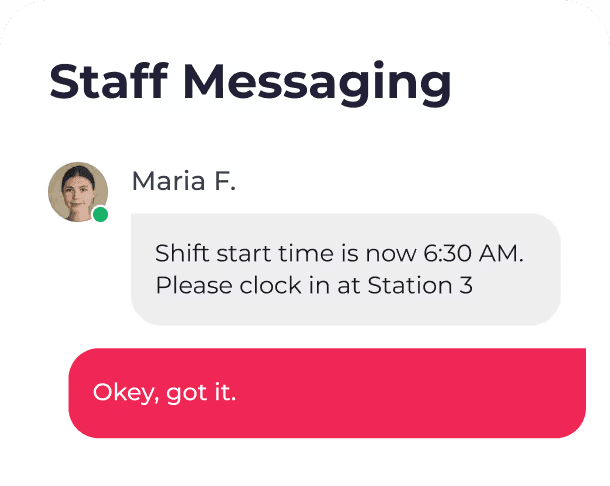
Real-time communication cuts back-and-forth by 80%+ with automatic shift details, updates, and confirmations
Mobile time clock tracks hours from any device with GPS-verified clock-in/out and automatic timesheet generation
Payroll integration routes approved hours directly to payroll with no manual data entry
Wage and hour compliance supports complex labor rules, overtime calculations, and break requirements
Free, unlimited e-signing is included with every subscription, eliminating the need for a separate signing tool
The API extends everything the platform already does. It does not replace it. For most staffing operations, the UI handles day-to-day scheduling and worker management. The API handles the connective tissue between Roosted and everything else.
Roosted has already demonstrated this with live integrations. The Recruiterflow partnership connects recruiting directly to scheduling, and the Event Temple integration syncs venue management with staffing operations.
Getting Started
If you are evaluating workforce management platforms and API access is on your requirements list, start with the documentation. You can browse the full API reference and help center at docs.roostedhr.com before you commit to anything.
Already a Roosted customer? Contact support@roostedhr.com to get your sandbox and production API keys.
Not yet on Roosted? Take a look at our plans or request a demo to see how the platform and API fit your operation.