Best Event Staff Scheduling Software in 2026 (Top 7 Compared)
Compare the top event staff scheduling software for on-demand teams. See which tools handle shift matching, time tracking, and payroll best.
If you're still scheduling event staff with spreadsheets, group texts, and a prayer, you already know the cost. No-shows spike on your busiest days, payroll takes hours longer than it should, and by the time you've confirmed everyone for Saturday's gig, you've burned half your week on back-and-forth messages.
Event staffing is fundamentally different from regular shift scheduling. Your workforce is largely freelance or part-time, events are one-off projects rather than recurring shifts, and a single no-show at a 200-person gala has no recovery window. The right scheduling software needs to account for all of that.
We evaluated seven platforms that operations managers actually use to schedule event staff in 2026. Each tool gets an honest breakdown of what it does well, where it falls short, and who it's built for.
What to Look for in Event Staff Scheduling Software
Before comparing specific tools, let's talk about which features separate event-specific platforms from generic shift schedulers. Here's what matters most for on-demand teams:
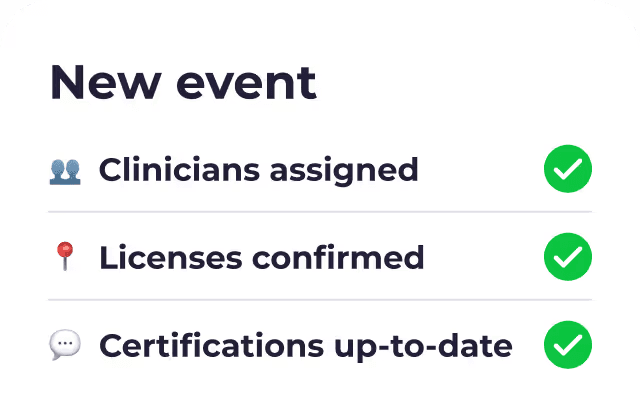
Skill-based shift matching. Events require bartenders, servers, EMTs, AV techs, and brand ambassadors, sometimes on the same gig. A Saturday wedding might need three bartenders with ServSafe certs and two servers who've worked that venue before. Your software should filter and assign workers by certifications, experience, and role, not just who's free that day.
Automated communication. Event staff often juggle multiple gigs. Platforms that send automated shift invitations, reminders, and confirmations via SMS or push notifications cut no-show rates dramatically compared to email-only tools.
Mobile time tracking. GPS-verified clock-in and clock-out from any device keeps timesheets accurate and eliminates manual entry. Geofencing ensures workers are actually on-site when they punch in, not clocking in from the parking lot ten minutes early and wandering in late.
Payroll integration. Approved hours should flow directly to your payroll system. Variable pay rates across roles, overtime calculations, and shift minimums add complexity that manual processes can't handle reliably at scale.
Performance tracking. Knowing which workers consistently show up on time, deliver strong performance, and handle specific event types gives you better data for future scheduling decisions.
Compliance tools. Overtime calculations, break requirements, and wage rules vary by state and worker classification. Built-in compliance features protect you from costly errors.
The 7 Best Event Staff Scheduling Software Tools
1. Roosted
Best for: On-demand event, catering, and production companies that need AI-powered scheduling with built-in compliance and payroll
Roosted is an AI-driven workforce management platform purpose-built for companies with flexible, on-demand staffing needs. It was designed by event companies, for event companies, which shows in features like the Guided Event Wizard, automated shift-matching, and a suite of communication bots that handle the scheduling grind so managers don't have to.
Roosted's patented AI evaluates skillsets, availability, location, seniority, and past performance to auto-assign the best-qualified worker to every shift. The platform's Autotext Bot reaches out to available workers when open spots need filling, while the Check-In Bot confirms attendance ahead of time and flags potential no-shows before they become problems.
The results speak for themselves: one catering company saw their no-show rate drop from 50% to under 5% after switching to Roosted.
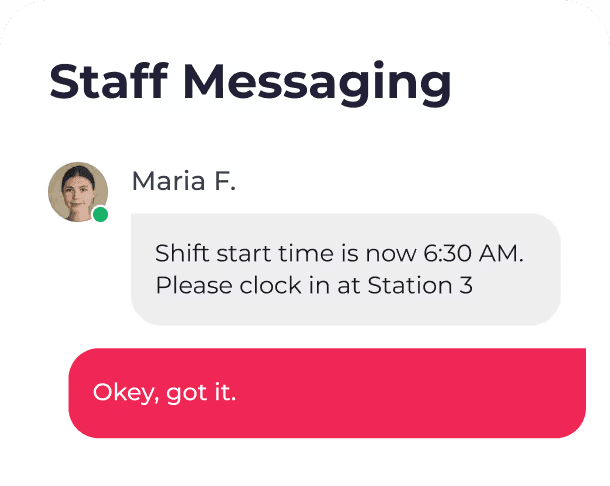
Real-time communication tools cut the back-and-forth by over 80%. Workers receive shift details, updates, and confirmations automatically through the mobile app, and managers can broadcast changes to specific roles, entire teams, or individual workers without picking up their phone.
Time tracking runs through a mobile time clock with GPS verification and automatic timesheet generation. Approved hours flow directly into payroll with no manual data entry. The platform handles complex wage rules including shift minimums, overtime, and holiday rates across different worker groups.
Roosted also includes free, unlimited e-signing with every subscription, so you can handle contracts, waivers, and onboarding documents without paying for a separate tool like DocuSign.
Pricing: Contact for pricing. Free demo available.
Standout features: Patented AI shift matching, Autotext Bot for automated shift filling, Check-In Bot for attendance confirmation, mobile time clock with GPS, built-in e-signing, performance tracking, wage and hour compliance tools
Limitations: Newer entrant compared to some established platforms, so brand recognition is still growing
2. Nowsta
Best for: Mid-market to enterprise hospitality and catering companies with large hourly workforces
Nowsta is a well-funded workforce management platform ($93M raised) built specifically for event-driven industries. Its client list includes Aramark, Marriott, Compass Group, and several professional sports venues, so it clearly has traction at the enterprise level.
The platform organizes scheduling around events rather than employees, with a color-coded calendar that shows staffing status at a glance. AI-powered talent intelligence ranks candidates by skills, availability, and performance history. Nowsta claims an 80% reduction in scheduling time for its users, and its newer "Staffing Labs" feature connects companies with a network of staffing agencies for overflow needs.
Time tracking includes GPS geofencing and photo verification. Payroll integrates with ADP and Paychex. The platform also offers Instant Pay for workers who want same-day access to earned wages.
Pricing: Not publicly listed. Third-party sources estimate $3-4/user/month for Starter and Professional plans, with custom enterprise pricing. Requires a sales call.
Standout features: Event-centric scheduling view, AI talent ranking, Staffing Labs marketplace, Instant Pay, strong enterprise client roster
Limitations: The biggest gap is the lack of an admin mobile app. Managers have to open a web browser to make scheduling changes, which is a real problem when you're on your feet at a 500-person gala and need to swap a no-show in the next ten minutes. Communication tools are also limited with no group chat functionality per event, and pricing transparency is low.
3. Connecteam
Best for: Small-to-mid-sized businesses that want an all-in-one workforce platform for scheduling, communication, and HR
Connecteam is a mobile-first platform that bundles scheduling, time tracking, team chat, training, and HR into one app. It's not built specifically for events, but it's flexible enough that many event companies use it, and its free tier (up to 10 users with full features) makes it an accessible starting point.
The platform launched AI auto-scheduling in 2025, which considers availability, qualifications, and workload fairness. Open shifts let qualified staff claim available work, and cross-schedule conflict detection prevents double-booking across locations. Communication tools include team chat, a company newsfeed, and an employee directory.
Payroll integrates with Gusto, QuickBooks, Paychex, and Xero. Built-in training courses and document management handle onboarding.
Pricing: Free for up to 10 users. Paid plans start at $29/month per "hub" (Operations, Communications, HR are separate). Most event companies need at least two hubs, bringing the minimum to $58/month for 30 users.
Standout features: Generous free tier, comprehensive all-in-one feature set, AI auto-scheduling, strong mobile app, built-in training tools
Limitations: The hub-based pricing model confuses buyers and adds up quickly. If you need scheduling (Operations hub), team chat (Communications hub), and onboarding (HR hub), you're paying for three separate subscriptions. The scheduling model is oriented toward recurring shifts rather than event-based one-offs. No dedicated 1099 contractor workflows. Geofencing requires the $49/month Advanced plan.
4. Event Staff App
Best for: Event staffing companies that rely heavily on SMS-based communication with part-time and seasonal staff
Event Staff App has been around since 2011 and has handled over 200,000 events across more than a million shifts. Its client list includes organizations staffing the Super Bowl, Formula 1 Miami, Rolling Loud, and PGA events.
SMS text messaging is the core differentiator. Automated texts handle scheduling, reminders, and communication, and staff only need a phone number to get started (no app download required). This matters because event staff often don't check email, and not everyone wants to download another app.
The platform added a Tripleseat integration in early 2025, connecting it to the leading hospitality event management system. A built-in job board (jobs.eventstaffapp.com) lets companies post gigs and find new workers.
Pricing: Starts at $45/month for up to 30 staff (without time tracking). Time tracking adds a 60-70% surcharge: $75/month for 30 staff. Custom pricing above 100 staff at $1.50-2.50/staff/month. No free tier.
Standout features: SMS-first communication, low barrier to entry for workers, Tripleseat integration, proven at major events, staff job board
Limitations: Time tracking costs significantly extra. The interface design feels dated compared to newer platforms. Per-staff pricing above 100 workers can climb quickly for large rosters. No AI-powered shift matching or automated worker ranking.
5. Deputy
Best for: Multi-location shift businesses that need strong labor compliance tools and can work with per-user pricing
Deputy is a well-established scheduling platform (founded 2008, 385,000+ workplaces globally) with AI-powered auto-scheduling, demand forecasting, and robust compliance features. It overhauled its pricing in September 2025 and introduced a Flexi Weekly plan specifically for event businesses.
The AI scheduler optimizes based on availability, qualifications, labor budgets, and historical demand data. Biometric facial recognition handles kiosk clock-ins at the Core plan level. Break compliance tracking automatically enforces labor law requirements. The Flex Catering integration syncs staffing needs from event management systems.
Pricing: Starts at $5/user/month (Lite plan), with Core at $6.50 and Pro at $9. Minimum monthly spend of $30. SMS messaging is a $1.95/user/month add-on. The Flexi Weekly plan (contact sales) charges approximately $2.50/active user/week, which is better for fluctuating workforces.
Standout features: AI auto-scheduling with demand forecasting, biometric clock-ins, strong labor compliance, broad payroll integrations, Flexi Weekly plan for events
Limitations: Per-user pricing charges the full month even for workers who only show up once. The $30/month minimum was added in 2025. Communication tools require a paid add-on. Designed for W-2 employees with no dedicated contractor workflows. Recent price changes have frustrated existing customers.
6. Armada
Best for: Staffing agencies managing shift-based event workers who need invoicing and client portal features alongside scheduling
Armada was built internally by Victory Agency, one of the fastest-growing staffing agencies in the US, starting in 2013. That staffing agency DNA gives it features most scheduling tools don't have: invoicing, estimate building, client portals, and a replacement request tracker.
AI worker-matching shortlists candidates based on performance ratings, skills, and qualifications. Geo-tracked check-ins with GPS verification and photos give managers real-time visibility. A built-in training module with quizzes and minimum passing scores handles certification tracking.
Pricing: Starts at $39/month (annual) for the Starter plan (1 location, 2 admins, 50 workers). Growth is $119/month (3 locations, 100 workers). Scale is $199/month (4+ locations, 300 workers). 7-day free trial.
Standout features: Built by a real staffing agency, AI worker matching, invoicing and estimate building, client portal, geo-tracked check-in photos, training quizzes
Limitations: Worker caps on lower tiers (50 on Starter, 100 on Growth) limit scalability. Very small market presence with only about 10 published reviews. Limited integrations (QuickBooks, Paylocity, and Stripe only). No Zapier or Make support. Android app reliability gets mixed feedback.
7. Quickstaff
Best for: Small caterers and event companies that want the simplest possible scheduling tool with no learning curve
Quickstaff takes the opposite approach from most tools on this list. Instead of assigning shifts, managers send invitations and staff accept or decline with one click. It's an "ask" model that works well for freelance and contractor-heavy teams where you can't just put someone on a schedule.
The platform has been around since 2011 and serves a loyal base of small caterers and wedding businesses. Setup takes minutes, and the learning curve is nearly flat. Automatic waitlists handle overflow when more staff accept than you need.
Pricing: Starts at $49/month for up to 35-60 staff. Large plan at $249/month for up to 175 staff. 14-day free trial.
Standout features: Dead-simple invitation-based scheduling, instant setup, role-based scheduling with multi-role support, automatic waitlists, strong value for very small teams
Limitations: No native mobile app (web-only). No SMS messaging, only email, which is a serious gap for reaching event staff quickly. No time tracking or payroll features. No API. Limited to 175 staff on the highest plan. The simplicity that makes it easy to start with becomes a ceiling as you grow.
How to Choose the Right Tool for Your Team
Feature | Roosted | Nowsta | Connecteam | Event Staff App | Deputy | Armada | Quickstaff |
|---|---|---|---|---|---|---|---|
AI shift matching | Yes (patented) | Yes | Yes (2025) | No | Yes | Yes | No |
Mobile time clock | Yes (GPS) | Yes (GPS + photo) | Yes | Add-on tier | Yes | Yes (GPS + photo) | No |
SMS/push notifications | Yes | Yes | Via app | Yes (core) | Add-on | Via app | No (email only) |
Payroll integration | Yes | ADP, Paychex | Gusto, QB, Paychex, Xero | Add-on tier | ADP, QB, Gusto, more | QB, Paylocity | No |
Built for events | Yes | Yes | No (general) | Yes | Partial | Yes | Yes (catering) |
E-signing included | Yes (free) | No | No | No | No | No | No |
Free tier | No | No | Yes (10 users) | No | No | No | No |
Admin mobile app | Yes | No | Partial | Yes | Yes | Yes | No |
The right choice depends on your team size, event complexity, and what's currently costing you the most time.
If you're a small catering company running a handful of events per week with a roster under 50 people, Quickstaff or Event Staff App will get you off spreadsheets fast. Quickstaff is simpler but limited; Event Staff App offers more room to grow.
If you're a growing event company managing 50-200+ workers across multiple event types, you need AI-powered matching, automated communication, and integrated time tracking. This is where Roosted and Nowsta compete directly. Roosted's automation bots proactively manage confirmations and no-shows, while Nowsta leans more on self-service scheduling.
If you're a staffing agency that bills clients and manages contractors, Armada's invoicing and client portal features fill a gap that pure scheduling tools don't.
If you're an AV or production company that manages both equipment and crew, Rentman (not included in the main list but worth mentioning) combines both in one platform, though its crew scheduling is secondary to equipment management.
The Math Behind Switching
Operations managers using spreadsheets and group texts report spending 15-20 hours per week on scheduling alone. One venue reported 20-24 hours weekly just on payroll corrections. That's a full-time position that produces zero revenue.
Roosted's AI evaluates every worker against every open position, factoring in skillsets, seniority, location, and past performance, and builds schedules that would take a human hours to assemble. Instead of mentally sorting your roster, you review and approve.
Add automation on top of that, and you stop running the process and start managing exceptions. Confirmation bots, real-time no-show alerts, and automated shift invitations handle the 90% that's routine so you can focus on the 10% that requires judgment.
Compliance is the other driver. Wage and hour rules vary by state, overtime calculations get tangled fast, and manual tracking invites the kind of errors that cost real money in penalties and back-pay. Platforms designed for compliance build those rules into the scheduling logic so violations get flagged before they happen, not after.
Make the Switch
If you're spending more time coordinating staff than actually running events, Roosted was built for exactly that problem. AI-powered shift matching, automated worker communication, GPS-verified time tracking, and built-in compliance, all in one platform designed for on-demand teams.