How to Track Off-Platform Tasks in Your Workforce Records
Learn how to log phone calls, follow-ups, and manual tasks directly in your workforce records. Keep your team aligned with centralized activity tracking.
How to Track Off-Platform Tasks in Your Workforce Records
Every operations manager has the same blind spot: the work that happens between the systems. You called a client to confirm event details. A coordinator sent a follow-up email about a worker's expired certification. Someone handled a last-minute venue change over the phone. All of it happened, all of it mattered, and none of it is documented anywhere your team can find it.
The information ends up in someone's inbox, a text thread, or worse, just in their head. When that person is unavailable and a question comes up, the answer is effectively gone. For staffing and event companies managing dozens of workers across multiple gigs, this kind of information loss adds up fast.
Custom Activity Log Actions in Roosted let you log those off-platform tasks directly in your worker and event records, so the full picture lives in one place alongside everything the system tracks automatically.
How Custom Activity Log Actions Work
The concept is simple: if something important happened outside Roosted, you can document it inside Roosted.
Custom Activity Log Actions are manual entries that you add to either a worker record or an event record. Each entry includes an action type (which you define), notes for context, and a timestamp. Once saved, it appears in the activity timeline right alongside system-generated entries like shift assignments and status changes.
The action types are whatever you need them to be. "Called Client," "Sent Follow-Up Email," "Coordinated Offsite," "Verified Credentials," or anything else your team does regularly that would otherwise go undocumented. You're not limited to a preset list.
Adding a Custom Log Entry
The process takes about 15 seconds.
Open the worker record or event record where you want to log the action.
Click "Add Log."
Select or type your custom action (e.g., "Called Client").
Add notes with any relevant context.
Save.
The entry immediately appears in the activity timeline with your name, the action, your notes, and a timestamp. Anyone on the team who pulls up that record will see it.
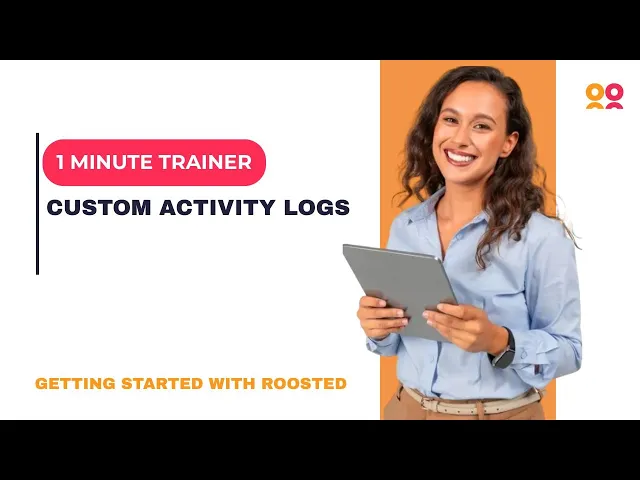
For a quick visual walkthrough, watch the full tutorial:
When to Use Custom Activity Logs
The feature is flexible by design, but here are the scenarios where it pays off the most.
Documenting client communication. You called a client to get additional event details or clarify a special request. Log it on the event record so the coordinator who takes over the next shift knows what was discussed, without having to call the client again.
Tracking worker follow-ups. A worker missed a shift or had a performance issue, and you followed up with a phone call. Logging that conversation on the worker record creates a history that's useful for future scheduling decisions and protects your team if the situation escalates. This kind of documentation supports your ability to demonstrate fair, consistent workforce management practices.
Handling last-minute changes. In catering and live event production, things change fast. A venue change gets coordinated over the phone. A client adds a requirement the day before the event. Logging these actions keeps the rest of the team in the loop without requiring a separate message or meeting.
Building a compliance trail. For companies operating in regulated environments, having a timestamped record of manual actions alongside system-generated entries supports audit readiness. It shows not just what the system tracked, but what your team did in response to situations that required human judgment.
Stop Relying on Memory
The longer your team operates without centralized task logging, the more institutional knowledge lives in places you can't access when you need it. People leave. Inboxes get buried. Slack messages scroll into oblivion.
Custom Activity Log Actions give your team a simple habit that compounds over time: when something important happens off-platform, log it where it belongs. After a few weeks, your worker and event records become a complete operational history instead of a partial one. That means faster handoffs, fewer repeated conversations, and less time spent figuring out what already happened.
Get Started
Custom Activity Log Actions are available in every Roosted subscription. If you're already on the platform, open any worker or event record and click "Add Log" to start documenting. If you're new to Roosted, get started here.